Generate AI Characters in Four Steps: Ultra-Realistic Models
Generate ultra-realistic AI characters and human models for product marketing in four simple steps with Caspa AI, from writing prompts to refining results.
On this page
Artificial intelligence (AI) is reshaping how businesses and communities interact with creativity and marketing. One exciting use case is generating AI Characters, ultra-realistic human models that can represent brands or small businesses in product marketing.
One exciting tool leading this is Caspa AI, a platform designed to empower businesses to generate ultra-realistic AI images of their products in minutes.
As a non-profit committed to AI education for underrepresented communities, we’re thrilled to share how tools like Caspa AI make technology accessible, efficient, and practical for everyone.
This video shows a few examples of consistent characters made on Caspa AI:
How to Get Started With AI Characters: Step-by-Step
1. Log onto Caspa AI
Go onto Caspa AI’s website and start your free trial. Create an account or log in to access its suite of tools.
2. Choose How You Want The Characters: Product Photos or Stock Photos?
You can have AI characters modelling your products or modelling in stock photos:
-
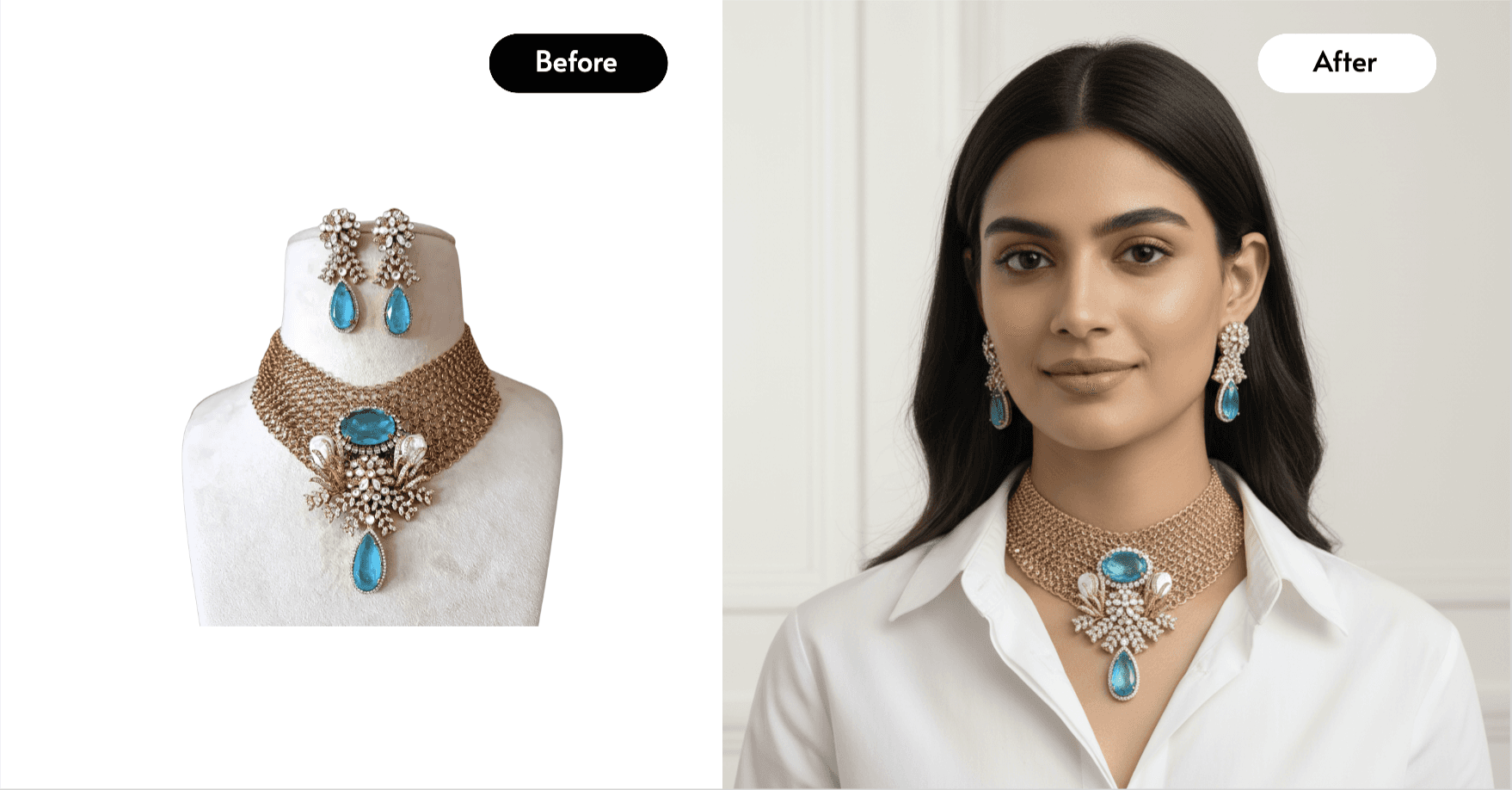
Product Photo: Upload images of your product to the “AI Product Photos & Editing” tab to create photos featuring ultra-realistic AI human models and customizable backgrounds with your own products.
-
Stock Photo Generator: Generate unique stock photos with AI Characters, tailored to your specific needs and preferences, wherever you want them to be.
3. Write a Detailed Text Prompt of Your Character
The magic of Caspa AI lies in its ability to turn text into imagery. For example, let’s say you want to showcase your product in the hands of a specific model. Write a descriptive prompt like:
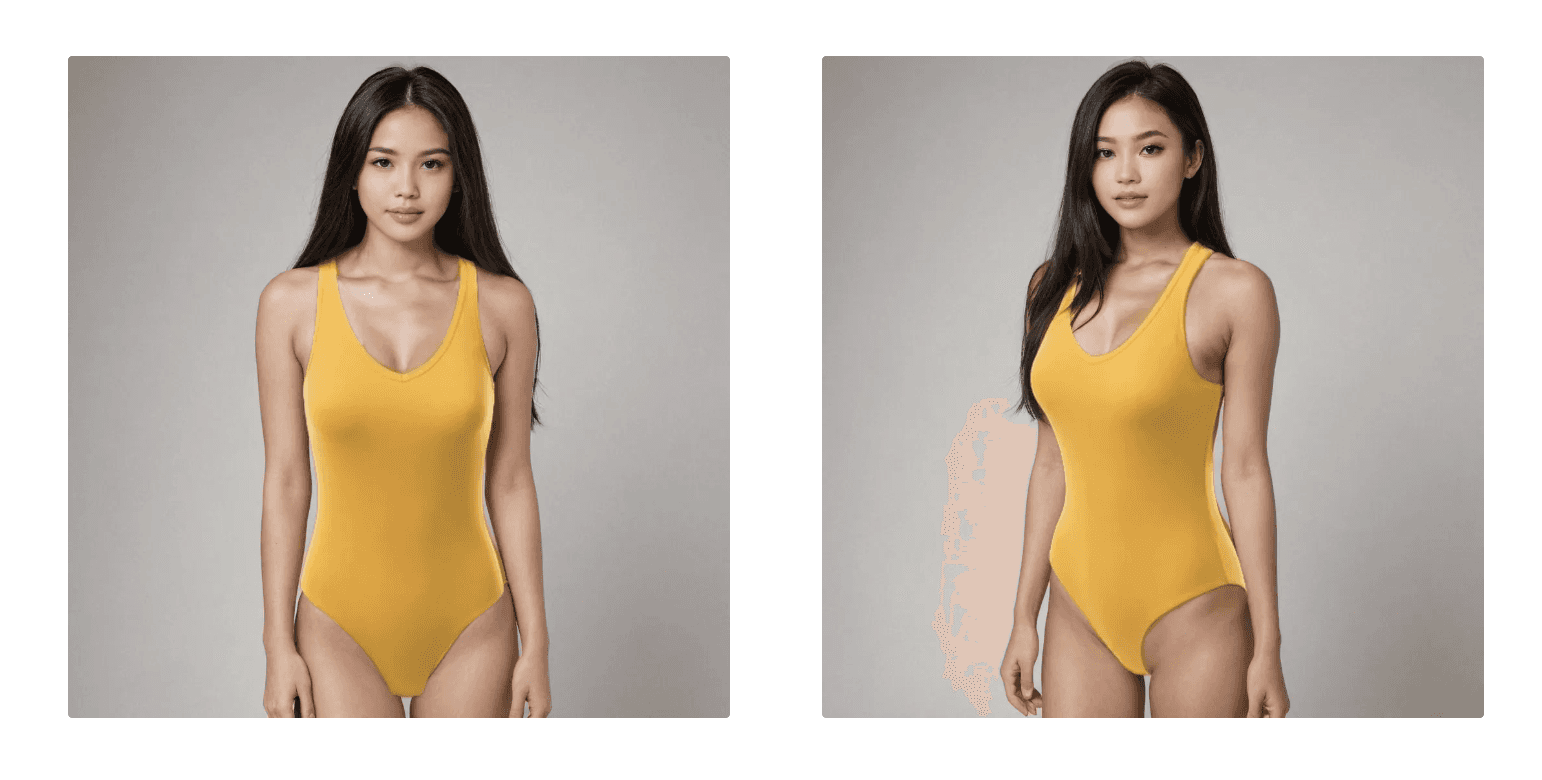
“a 24-year-old Vietnamese woman with (long straight jet black hair), (light olive skin tone), (dark brown almond-shaped eyes), oval facial structure, straight nose, full lips, slightly arched eyebrows, delicate features, smooth complexion in a grey studio background.”
You can modify the prompt to reflect diverse backgrounds, skin tones, or features, ensuring inclusivity in your visuals.
4. Generate and Refine
Tweak your results as much as you like by sending the image to the editor, painting over anything you want to change and regenerating to ensure you meet your exact vision. For instance, you can reuse the same prompt for multiple images to showcase your product from different angles or with different backdrops. You can even animate your finished character images; see our guide to generating AI videos with your products.
More than just AI Characters on Caspa AI
Caspa AI is a powerful tool that levels the playing field for small businesses, nonprofits, and creatives alike. They give users complete freedom to use the images they generate however they choose. The platform allows you to do many things as well as creating AI Characters; other features include:
-
Background removal on photos: Remove the background of a photo by simply uploading it to the background remover tab.
-
Templates and infographics: Use the pre-set templates or create your own on the Studio Editor tab.
-
Upscale and Enhance Photos: Upscale existing visuals or newly generated ones to a higher resolution, up to 4K depending on your use case!
For a broader tour of these features, read our guide to generating AI images with your products.
Empowering Communities with AI
Our mission at AI Education For All is to empower diverse underrepresented communities with AI Education. We hope to write guides like this that can inform you on the latest AI technology to use at your disposal. If you find resources like this useful, please stay in touch and share your email! We will keep you updated on the latest volunteer projects, resources and ways you can support.
Enjoyed this guide? There's more every month.
Free AI guides, webinar invitations and volunteer opportunities, straight to your inbox.